Overview
Language models are powerful reasoners but they cannot, by themselves, browse the web, read a file, query a database, or call an API. MCP servers bridge this gap by exposing external capabilities as structured, callable tools that agents can invoke during inference.
Procurator integrates natively with the MCP specification as a Spring AI MCP client. You register MCP servers once in the admin panel, and any agent can be assigned those servers — granting access to all tools the server exposes without any code changes.
Control Panel
The screenshot below shows the live Procurator administration interface for this feature.
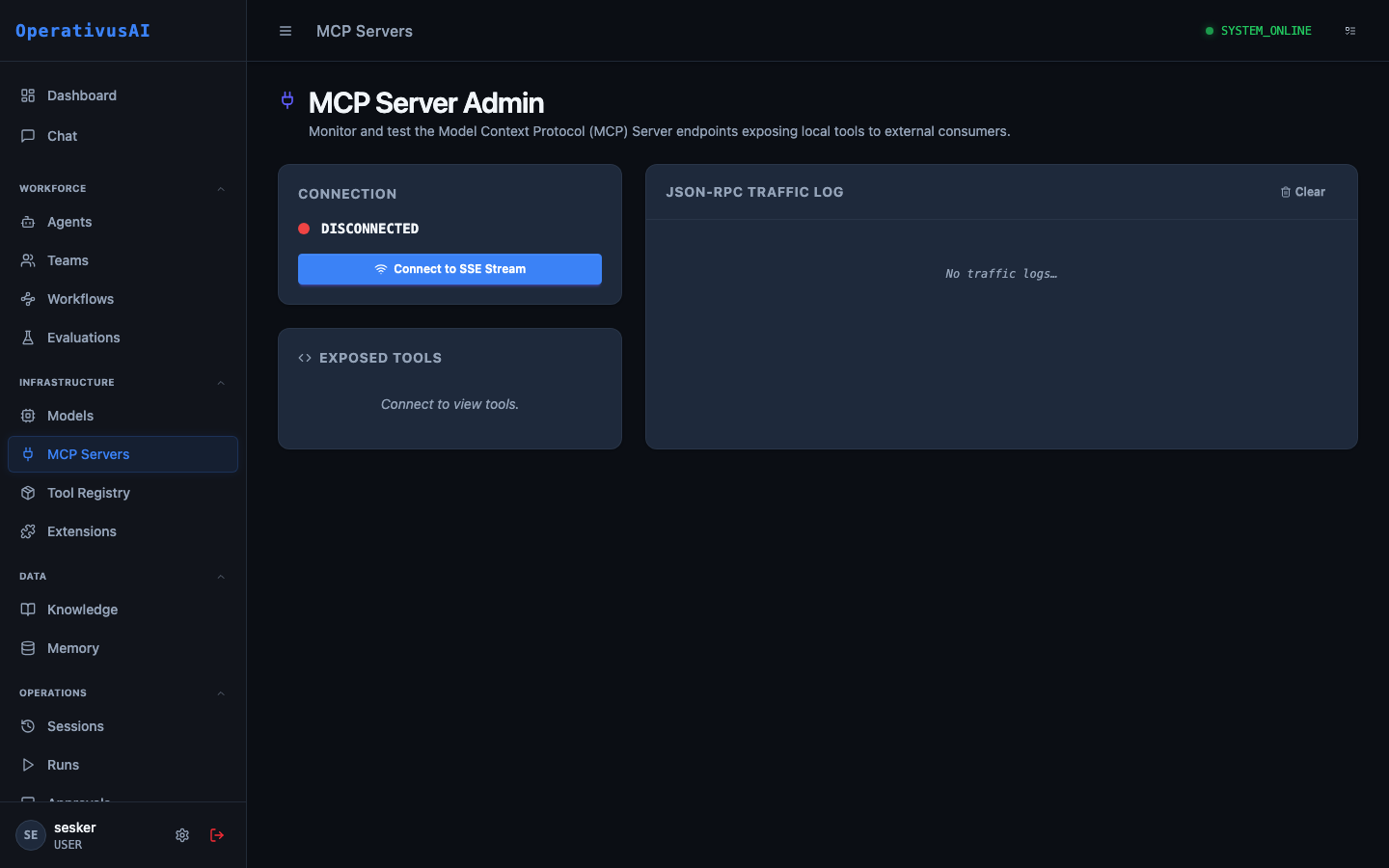
MCP Servers — register, configure, and monitor Model Context Protocol tool servers.
What Is MCP?
The Model Context Protocol is an open standard (by Anthropic) that defines how AI applications connect to external data sources and tools. An MCP server is a process that implements the MCP specification and exposes a catalog of tools, resources, and prompts:
- Tools — Callable functions the model can invoke. Examples:
web_search,run_python,query_database,read_file. - Resources — Data sources the model can read. Examples: file system contents, database table schemas, API documentation.
- Prompts — Pre-built prompt templates the model can invoke. Examples: "Summarize this document", "Generate a SQL query for..."
The MCP ecosystem includes hundreds of community-built servers for common integrations: GitHub, Slack, Jira, PostgreSQL, Google Drive, AWS, and more. Procurator can connect to any standards-compliant MCP server.
Key Capabilities
Server Registry
Centralized admin panel to register, monitor, and manage all MCP servers in your Procurator deployment.
Tool Catalog
Automatic discovery and display of all tools exposed by each registered MCP server with parameter documentation.
Credential Injection
MCP server credentials are stored encrypted in Procurator. Agents never handle raw secrets — the platform injects them at connection time.
Connection Health
Real-time health status for every registered server. Automatic reconnection attempts on transient failures.
Tool Usage Metrics
Track which tools are called most frequently, their latency distribution, and error rates per server.
Tool Call Audit
Every tool invocation is logged to the Sessions ledger with full input/output payloads — no tool call goes unrecorded.
Administration
Registering an MCP Server
- 1Navigate to Resources → MCP Servers
The MCP Admin page lists all registered servers and their connection status.
- 2Click "Register Server"
The registration form opens.
- 3Select Transport Type
Choose
STDIOfor locally-launched processes,SSEfor HTTP-based servers, orWEBSOCKETfor persistent connections. See Transport Types below. - 4Configure Connection Details
For STDIO: provide the command and arguments. For SSE/WebSocket: provide the server URL and authentication credentials.
- 5Test Connection
Click "Test" to verify Procurator can reach the server and discover its tool catalog.
- 6Save
The server is registered and its tools are available for assignment to agents.
Configuration Reference
| Field | Type | Required | Description |
|---|---|---|---|
| name | string | required | Display name for this MCP server (e.g., "Web Search", "GitHub MCP"). |
| transport | enum | required | STDIO, SSE, or WEBSOCKET. |
| command | string | optional | For STDIO: the executable command to launch (e.g., npx @modelcontextprotocol/server-filesystem). |
| args | array | optional | For STDIO: command-line arguments passed to the process. |
| url | string | optional | For SSE/WebSocket: the server endpoint URL. |
| headers | map | optional | HTTP headers for SSE connections (e.g., Authorization bearer token). |
| env | map | optional | For STDIO: environment variables injected into the server process. Store API keys here. |
| timeout | integer | optional | Tool call timeout in milliseconds. default: 30000 |
Viewing the Tool Catalog
After a server is registered and connected, click into the server detail page to view its Tool Catalog. For each tool you'll see:
- Tool name and description
- Input parameter schema (JSON Schema format)
- Return type description
- Recent call count and average latency
Assigning MCP Servers to Agents
MCP servers are assigned to agents in the Agent configuration form. When assigned, the agent's model context includes the tool schemas, enabling the model to autonomously decide when to call each tool during inference. An agent can have multiple MCP servers assigned.
Transport Types
| Transport | Use Case | Characteristics |
|---|---|---|
| STDIO | Local tools run as child processes | Low latency, launched on-demand, no network overhead. Best for filesystem, local code execution, shell tools. |
| SSE | Remote HTTP-based servers | Long-lived HTTP connection. Suitable for most hosted MCP servers. Supports authentication headers. |
| WEBSOCKET | High-frequency tool calls | Persistent bidirectional connection. Best for servers that push events or need low-overhead repeated calls. |
Permissions
- mcp:read— View registered MCP servers and their tool catalogs
- mcp:create— Register new MCP servers
- mcp:modify— Update server configuration and credentials
- mcp:delete— Remove servers (blocked if agents reference the server)
Security Considerations
- Tool calls are always logged. Every MCP tool invocation — tool name, input parameters, and output — is stored in the Sessions audit log.
- Use Approval Gates for destructive tools. If an MCP server exposes tools that write data, send messages, or make external API mutations, add an Approval Gate in the agent's Workflow before those operations.
- Restrict STDIO servers to known executables. STDIO servers launch child processes on the Procurator host. Only register executables from your own private registry or verified publishers.
- Secrets in the
envfield are encrypted at rest. Procurator stores environment variable values using AES-256 encryption. They are decrypted only at server launch time.