Overview
AI agent deployments introduce a new category of security concerns: agents can access sensitive data through Knowledge Bases, invoke tools that write to external systems, and make decisions autonomously that in traditional software would require a human click. Procurator's Security module is designed to make every one of those actions traceable, attributable, and reviewable.
The audit trail captures events at two levels: administrative events (configuration changes, user management, policy updates) and operational events (agent executions, tool calls, approval decisions, budget enforcements). Together they provide a complete picture of what happened in your deployment.
Procurator's security controls map to all six NIST CSF 2.0 functions: Govern (policies, RBAC, RLAC), Identify (asset registry, model inventory), Protect (credential encryption, access control), Detect (anomaly alerting, audit monitoring), Respond (session termination, budget blocking), and Recover (session records, export).
Control Panel
The screenshot below shows the live Procurator administration interface for this feature.
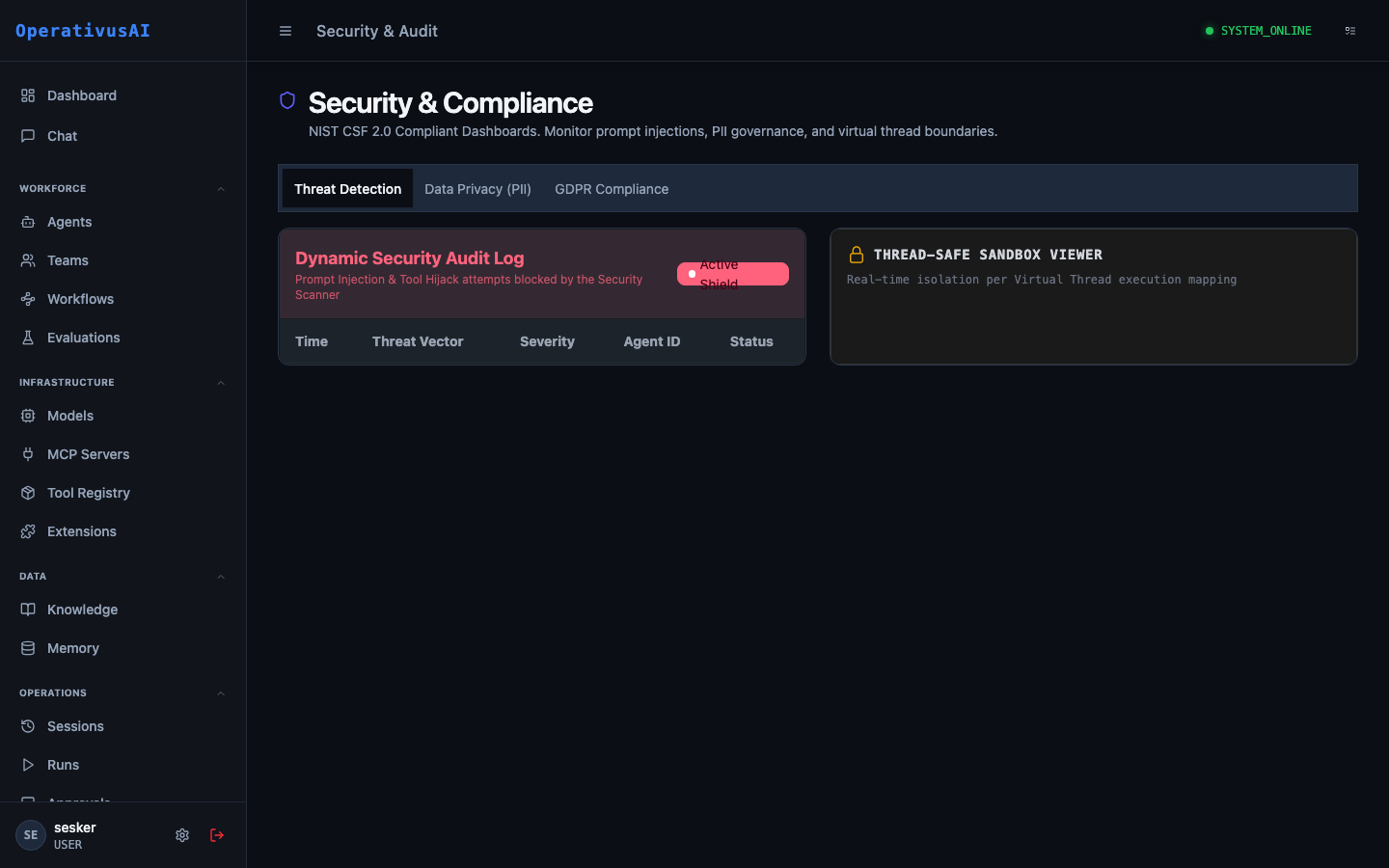
Security & Audit — immutable event log, RBAC administration, and SIEM integrations.
The Audit Trail
Every auditable event in Procurator produces an audit record with the following structure:
Audit records are append-only and immutable. They cannot be edited or deleted through any Procurator interface, including the API.
Key Capabilities
Immutable Audit Trail
Append-only event log covering every administrative action and agent operation. No event is ever modified or deleted.
Role-Based Access Control
Fine-grained permission system with predefined roles (Admin, Operator, Reviewer, Viewer) and custom role creation for precise access management.
Row-Level Access Control
RLAC labels on Knowledge Base documents restrict retrieval to agents and users with matching clearance labels — enforced at query time.
API Key Management
Create, rotate, and revoke API keys for programmatic access. Each key carries scoped permissions and an optional expiry date.
Anomaly Detection
Configurable alert rules that fire when unusual patterns are detected — excessive tool calls, unusual hours activity, budget spike, or access to restricted resources.
SIEM Export
Stream audit events to external SIEM systems (Splunk, Datadog, Elastic, custom webhook) in real time for centralized security operations.
Administration
Audit Log View
Navigate to Administration → Security & Audit. The audit log provides a reverse-chronological feed of all events with a summary table:
- Timestamp: Precise event time in your configured display timezone.
- Event Type: Category and action (e.g.,
USER:LOGIN,AGENT:DELETED,TOOL:BLOCKED). - Actor: Who or what triggered the event (user email, system, or agent name).
- Resource: The specific resource affected (agent name, session ID, budget name).
- Outcome: SUCCESS, FAILURE, or BLOCKED — with BLOCKED indicating a security control prevented the action.
- Details: Click any row to expand the full event metadata.
Event Types
| Category | Events |
|---|---|
USER | LOGIN, LOGOUT, LOGIN_FAILED, PASSWORD_CHANGED, MFA_ENABLED, MFA_DISABLED, CREATED, MODIFIED, DELETED |
API_KEY | CREATED, ROTATED, REVOKED, USED (on first use per session) |
AGENT | CREATED, MODIFIED, DELETED, DEPLOYED, UNDEPLOYED |
SESSION | STARTED, COMPLETED, FAILED, TERMINATED, BUDGET_EXCEEDED |
TOOL | CALLED, BLOCKED (registry governance), ERROR |
APPROVAL | REQUESTED, APPROVED, REJECTED, MODIFIED, ESCALATED, TIMED_OUT |
BUDGET | CREATED, MODIFIED, DELETED, THRESHOLD_REACHED, ENFORCED |
KNOWLEDGE | DOCUMENT_INGESTED, DOCUMENT_DELETED, BASE_CREATED, BASE_DELETED, QUERY |
MEMORY | WRITTEN, READ, DELETED, EXPORT |
MCP_SERVER | REGISTERED, MODIFIED, DELETED, CONNECTED, DISCONNECTED |
REGISTRY | TOOL_BLOCKED, TOOL_UNBLOCKED, TOOL_RESTRICTED, GOVERNANCE_MODIFIED |
SCHEDULE | CREATED, MODIFIED, DELETED, FIRED, RETRY, FAILED_FINAL |
SETTINGS | MODIFIED (any organization-level settings change) |
Searching & Filtering
The audit log supports multi-dimensional filtering:
- Date range: Filter events to a specific time window.
- Event category: Filter by event category (USER, AGENT, SESSION, etc.).
- Actor: Filter by specific user, system process, or agent.
- Resource: Filter by a specific resource ID (e.g., a specific agent ID or session ID).
- Outcome: Filter for FAILURE or BLOCKED events only — useful for security investigations.
- IP address: Filter by originating IP — useful for detecting unusual access locations.
Exporting Audit Records
Export audit records for compliance reporting or forensic analysis:
- UI Export: Click "Export" on the audit log page to download the currently filtered view as CSV or JSON (up to 50,000 records).
- API Export: Use the
GET /api/audit/eventsendpoint with query parameters for programmatic bulk export. - Streaming export: Configure a SIEM integration to receive all events in real time without needing to poll.
Access Control
Role-Based Access Control (RBAC)
Procurator uses a permission-based RBAC system. Roles are collections of permissions assigned to users:
| Built-in Role | Description | Key Permissions |
|---|---|---|
| Organization Admin | Full platform access — all configuration and administrative capabilities. | All permissions |
| Operator | Can manage agents, workflows, schedules, and review sessions. Cannot manage users or security settings. | agents:*, workflows:*, sessions:*, schedules:*, approvals:review |
| Reviewer | Can view sessions, review approvals, and read audit logs. No write access to agent configuration. | sessions:read, approvals:review, audit:read |
| FinOps Analyst | Full FinOps read and write access. No access to agent configuration or sessions. | finops:*, models:read |
| Viewer | Read-only access across all features. Cannot take any write actions. | *:read permissions only |
Create custom roles in Administration → Security & Audit → Roles to combine permissions for your specific organizational structure.
Row-Level Access Control (RLAC)
RLAC provides document-level security within Knowledge Bases. Each document can be tagged with one or more RLAC labels (e.g., CONFIDENTIAL, HR-ONLY, FINANCE). At query time, the retrieval engine filters results to only include documents whose labels are a subset of the querying agent's or user's assigned labels.
RLAC labels restrict which documents can be retrieved by which agents. A document with HR-ONLY label will never appear in a retrieval result for an agent that does not have the HR-ONLY RLAC label, even if both agent and document share the same Knowledge Base.
API Key Management
For programmatic access to the Procurator API, API keys are managed under Security & Audit → API Keys:
- Create a key: Assign a name, select the permission scope (inherits from a role or custom permission set), and set an optional expiry date.
- Rotate a key: Generate a new secret value. The old value is immediately invalidated — update your client before rotating.
- Revoke a key: Instantly block all API calls authenticated with this key. Revocation is immediate and irreversible.
- Last used: See the last timestamp and IP address where each key was used — detect unused or stolen keys.
Compliance & Frameworks
Procurator's security controls are designed to support common compliance frameworks. The audit trail and access controls directly address requirements from:
- SOC 2 Type II: Audit trail provides the change management, access control, and logical security evidence required for SOC 2 audits.
- GDPR / CCPA: Data subject access and erasure requests for Memory and Knowledge Base data are supported. Audit records document all data processing activities.
- HIPAA: Audit logs, access controls, and encrypted secrets storage support HIPAA technical safeguard requirements. (Note: HIPAA workloads may require a BAA — contact Operativus.AI.)
- ISO 27001: Audit trail, RBAC, RLAC, and API key management map to Annex A controls for access management and logging.
SIEM Integration
Configure real-time streaming of audit events to your SIEM system under Security & Audit → Integrations:
| Integration | Method | Format |
|---|---|---|
| Splunk | HTTP Event Collector (HEC) | JSON, Splunk Common Information Model (CIM) |
| Datadog | Datadog Logs API | JSON with Datadog attributes |
| Elastic / OpenSearch | Elasticsearch Bulk API | ECS (Elastic Common Schema) JSON |
| Custom Webhook | HTTP POST | Raw Procurator audit record JSON |
Events are streamed with at-least-once delivery guarantees. Configure a dead-letter queue endpoint for events that fail to deliver after retry exhaustion.
Permissions
- audit:read— View the audit log and event details
- audit:export— Export audit records
- security:users— Manage user accounts and role assignments
- security:roles— Create and modify custom roles
- security:api-keys— Create, rotate, and revoke API keys
- security:integrations— Configure SIEM and webhook integrations