Overview
Long-term memory enables agents to build a persistent understanding of individual users across sessions. When a user tells an agent "I prefer concise bullet-point summaries" or "my primary market is the EU", that preference is stored as a vector embedding and automatically recalled in every future interaction — even across different sessions, different agents, and different contexts.
Procurator's Memory Vector Store is the administrative interface for inspecting, searching, optimizing, and erasing that memory. It gives administrators full visibility into what agents have remembered, the chronological history of memory creation, and the compliance tools required for GDPR and EU AI Act obligations.
Every memory record is bound to a specific user ID. Agents cannot read memories belonging to other users. Administrators can view and manage memories for any user in their organization, but records are never shared across user accounts.
Memory vs Knowledge
Both Memory and Knowledge use pgvector for semantic retrieval, but they serve fundamentally different purposes:
| Dimension | Memory Vector Store | Knowledge Base |
|---|---|---|
| Content | User-specific facts, preferences, stated history | Organizational documents, policies, reference data |
| Scope | Per-user — private to the individual | Shared — accessible by all assigned agents and users |
| Source | Extracted automatically from conversations by the agent | Uploaded explicitly by administrators (files + URLs) |
| Mutability | Created and updated dynamically during interactions; admin can delete | Managed explicitly — ingestion is a deliberate admin action |
| Access Control | User-owned; admin can view, optimize, export, and erase | RLAC labels control which users can retrieve which chunks |
| Compliance tool | Right to be Forgotten (RTBF) — irreversibly erases all user data | Individual document deletion from the Documents tab |
Memory Vector Store Page
Navigate to Resources → Memory to reach the Memory Vector Store. The page is organized into three tabs — Overview, Timeline, and Compliance — with shared action buttons in the top-right toolbar.
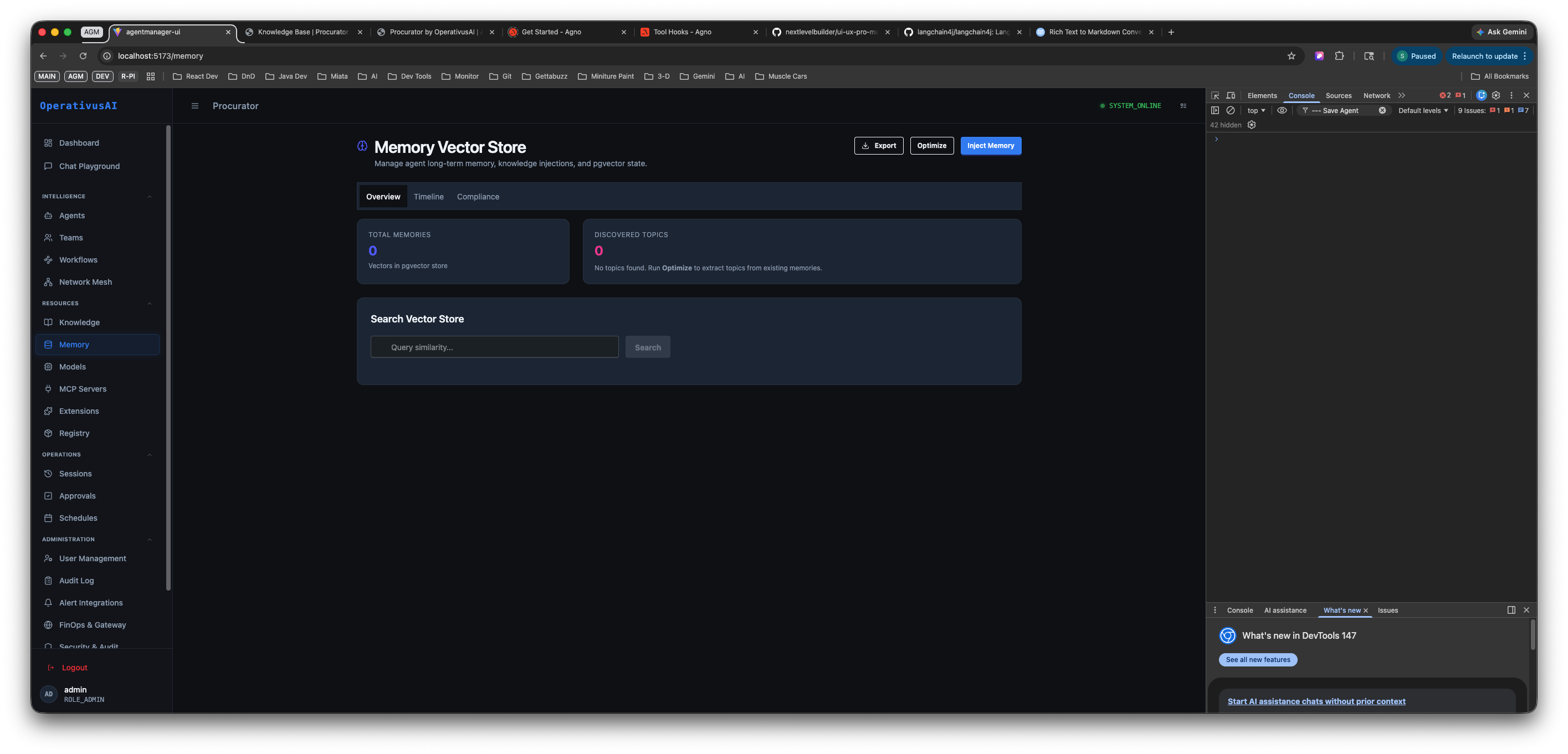
Memory Vector Store — Overview tab showing Total Memories (0) and Discovered Topics (0) stat cards, with a Search Vector Store field for semantic similarity queries. The Export, Optimize, and Reset Memory actions appear in the top-right toolbar.
Page-Level Actions
Three action buttons appear at the top right of the Memory Vector Store page and apply to the entire memory store:
| Action | What It Does | When to Use |
|---|---|---|
| Export | Downloads a JSON file containing all memory records in the store — memory text, user ID, agent ID, session ID, and creation timestamp for every entry. | GDPR Data Subject Access Requests, data portability obligations, or backup before a major operation like Reset. |
| Optimize | Runs the topic extraction pipeline across all memory records. Clusters semantically similar memories and surfaces recurring themes as Discovered Topics in the Overview tab. Also deduplicates near-identical memory entries to reduce vector store bloat. | After significant memory accumulation — run periodically to surface topics and keep the store efficient. Check the Discovered Topics count in Overview before and after to confirm extraction ran. |
| Reset Memory | Permanently deletes all memory records and vector embeddings in the store. This is a full wipe — not scoped to a single user. The operation is irreversible. | Development/staging environment resets, post-incident remediation, or when starting fresh. Never use on production without exporting first. |
Reset Memory permanently erases every memory vector in the store — across all users. There is no undo. Always use Export to save a backup before triggering a reset. If you need to erase memory for a single user, use the Right to be Forgotten tool in the Compliance tab instead.
Overview Tab
The Overview tab is the default landing view when you open the Memory Vector Store. It shows two headline metrics and a semantic search interface:
Stat Cards
| Metric | Description |
|---|---|
| TOTAL MEMORIES | The total count of individual memory records currently stored in the vector store across all users. Each record is one extracted fact or preference from a conversation. |
| DISCOVERED TOPICS | The number of recurring topic clusters identified by the last Optimize run. Topics represent patterns across memories — e.g., "user communication preferences" or "market focus areas". Shows "No topics found. Use Optimize to extract topics from existing memories." when Optimize has not been run yet. |
Search Vector Store
The Search Vector Store field lets you run a semantic similarity query directly against the memory store. Enter any natural language phrase in the "Query similarity..." input and click Search.
Procurator embeds your query and runs an ANN search against all memory vectors, returning the most semantically similar memories across all users — ranked by cosine similarity score. Use this to:
- Audit what agents have learned about a particular topic or preference domain
- Verify that specific information has been correctly extracted and stored
- Investigate unexpected agent behavior by finding memories that may be influencing responses
- Spot stale or inaccurate memories that should be deleted before they affect future interactions
Timeline Tab
The Timeline tab shows a chronological history of memory creation events for the currently viewed user context.
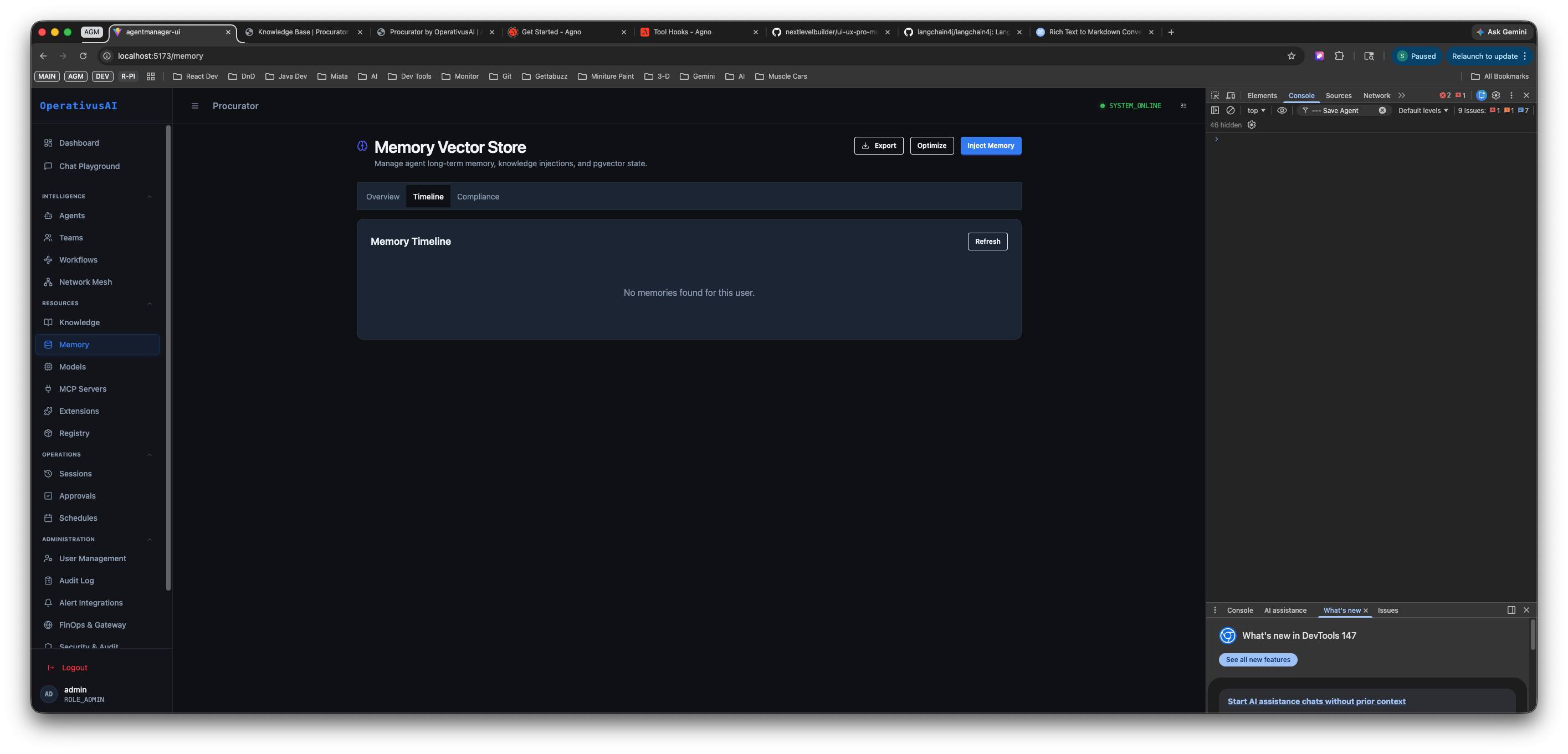
Timeline tab — chronological view of memory creation events. The Refresh button re-fetches the latest records. Empty state shown when no memories have been created for the current user context.
How to Use the Timeline
- Refresh — Click the Refresh button to pull the latest memory records. Memory creation is asynchronous — new memories appear in the Timeline after the extraction pipeline completes following a conversation turn.
- Chronological ordering — Memory entries are displayed in reverse-chronological order (newest first), showing when each fact was extracted, which agent created it, and which session it originated from.
- Empty state — "No memories found for this user." is the expected state for a user who has not yet had a memory-enabled conversation, or after a Reset Memory operation.
The Timeline is the most useful view for tracing when specific agent behavior changed — if an agent suddenly started responding differently to a user, check the Timeline to see if a new memory was created around that time that may have altered its context.
Compliance Tab
The Compliance tab provides the regulatory data-erasure tooling required for EU AI Act and GDPR obligations. It contains the Right to be Forgotten operation for targeted, per-user memory erasure.
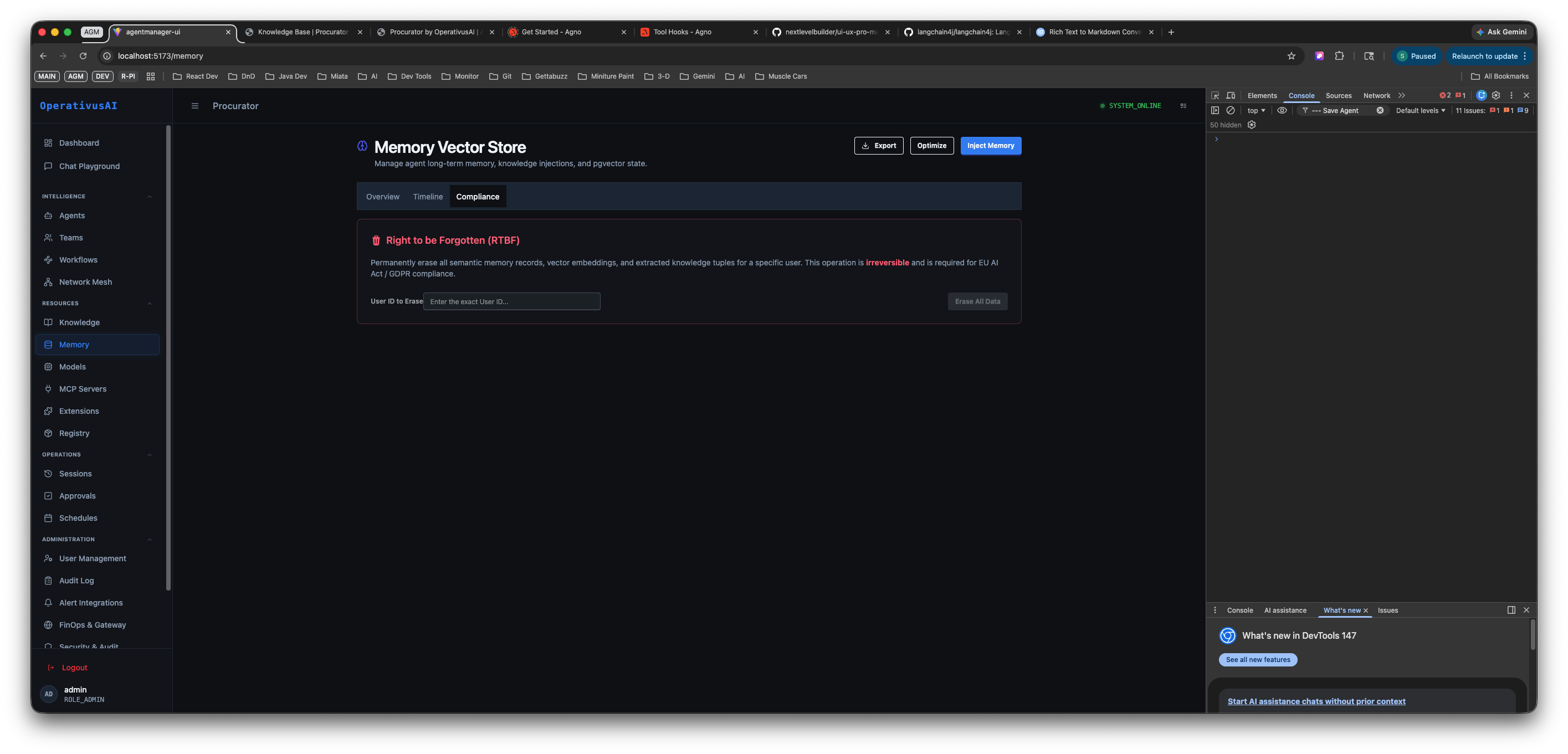
Compliance tab — Right to be Forgotten (RTBF) tool. Enter a User ID and click Erase All Data to permanently remove all semantic memory records, vector embeddings, and extracted knowledge for that specific user. Required for EU AI Act / GDPR compliance.
Right to be Forgotten (RTBF)
The RTBF tool permanently erases all semantic memory records, vector embeddings, and extracted knowledge bases associated with a specific user ID. This satisfies the GDPR Article 17 "right to erasure" and EU AI Act compliance requirements for AI systems that store personal data.
Erasing a user's memory data permanently removes all vector embeddings from pgvector. There is no recovery path once the operation completes. The Procurator documentation describes this as required for EU AI Act / GDPR compliance — it is not a soft-delete.
How to Execute a Right to be Forgotten Request
-
1Verify the user's identity and entitlement
Confirm that a valid RTBF request has been received from the data subject (or their authorized representative) and documented in your compliance records before proceeding. This operation cannot be undone.
-
2Export the user's data first (optional)
If the request was accompanied by a Data Subject Access Request (DSAR), use the Export button to download the user's memory data before erasing. Some compliance frameworks require you to provide a copy of data before erasure.
-
3Navigate to the Compliance tab
Click the Compliance tab in the Memory Vector Store. The Right to be Forgotten section is the only control on this tab.
-
4Enter the User ID to Erase
Paste the exact User ID of the data subject in the "User ID to Erase" field. The field accepts only the precise User ID — partial matches and email addresses are not supported to prevent accidental erasure of the wrong user's data.
-
5Click Erase All Data
Click the Erase All Data button. Procurator will present a confirmation prompt — read it carefully and confirm. The operation permanently removes all semantic memory records, vector embeddings, and extracted knowledge bases for that User ID from pgvector.
-
6Record the erasure in your compliance log
Document the date, User ID, and confirming administrator in your internal compliance records. The Procurator Security audit trail automatically logs the erasure event with the administrator's identity and timestamp as supporting evidence.
How Memory Works
Memory extraction and retrieval operate as a background pipeline that runs automatically when an agent has memory enabled:
Only agents configured with memory enabled participate in this pipeline. Agents with memory disabled never read from or write to the Memory Vector Store — their interactions leave no persistent trace.
Memory injection is configured per agent in the agent's Security tab. Toggle the memory setting to ON to activate both extraction (writing new memories from conversations) and retrieval (injecting relevant memories into context). Agents without memory enabled are stateless across sessions.
Key Capabilities
Semantic Memory Recall
Memories are retrieved by vector similarity — agents recall relevant facts even when the wording in the current conversation differs from how the memory was originally stored.
Vector Store Search
Run natural language similarity queries directly against the memory store from the Overview tab. Surface any memories related to a topic without knowing the exact stored text.
Memory Timeline
Chronological log of every memory creation event — showing which agent extracted each memory, from which session, and when. Invaluable for debugging unexpected agent behavior.
Topic Discovery
The Optimize operation clusters memories into recurring topics — giving administrators visibility into what domains agents are learning about across users.
Data Export
Export all memory records as structured JSON — supporting GDPR Data Subject Access Requests and providing a backup before major maintenance operations.
Right to be Forgotten
Per-user irreversible erasure of all memory records, vector embeddings, and extracted knowledge. Built-in compliance for EU AI Act and GDPR Article 17 obligations.
Permissions
- memory:read— View the Overview, Timeline, and Compliance tabs; run Search Vector Store queries
- memory:optimize— Run the Optimize operation to extract topics and deduplicate records
- memory:export— Export all memory records as JSON via the Export button
- memory:delete— Execute the Right to be Forgotten erasure on a specific User ID
- memory:reset— Trigger a full Reset Memory (wipes all records across all users — restrict to superadmin)
The Reset Memory action is a full wipe of all user memories across the entire organization. Grant memory:reset only to roles that have a legitimate operational need — it should not be part of any standard administrator role.
Best Practices
- Run Optimize after onboarding a large user cohort. Topic discovery becomes meaningful once there are enough memories to cluster. Run Optimize after your first significant batch of memory-enabled conversations to surface recurring themes and spot any unexpected memory content.
- Use Search Vector Store to audit before production launch. Before enabling a memory-enabled agent for a new use case, search the vector store for any memories that might conflict with the agent's intended behavior or contain sensitive information from previous interactions.
- Always Export before Reset Memory. The Reset Memory operation is irreversible and affects every user in your organization. Export a full backup first — even if you don't anticipate needing it.
- Use the Timeline to debug unexpected agent behavior. If an agent starts responding differently to a user, open the Timeline and check whether a new memory was created around the time the behavior changed. Stale or inaccurate memories are a common source of agent personalization drift.
- Process RTBF requests promptly via the Compliance tab. EU AI Act and GDPR Article 17 obligations require timely response to erasure requests (typically within 30 days). The Compliance tab's RTBF tool is the designated path — do not attempt memory erasure through the database directly.
- Enable memory only on agents that benefit from personalization. General-purpose assistants, customer-facing agents, and coaching agents benefit greatly from memory. Data pipeline agents, compliance checkers, and code validators should have memory disabled — they don't benefit from user preferences and the accumulated memories add noise to their context.
- Document each RTBF execution. Record the User ID, execution date, and authorizing administrator in your internal compliance log. The Procurator audit trail provides supporting evidence, but your own records remain the primary compliance artifact.