Overview
Settings centralizes all platform-level configuration that applies globally across every agent, team, and workflow in the organization. Unlike per-agent or per-workflow configuration (which is scoped to individual resources), Settings controls the underlying infrastructure that all features depend on.
Changes made in Settings take effect immediately and are applied platform-wide. All modifications are written to the immutable audit log in the Security module so administrators can track exactly who changed what and when.
The Settings page is restricted to the Organization Admin role. Operators and Reviewers cannot view or modify platform settings. Changes here affect all users and all agents — review with care before saving.
Control Panel
The screenshot below shows the live Procurator Settings administration interface.
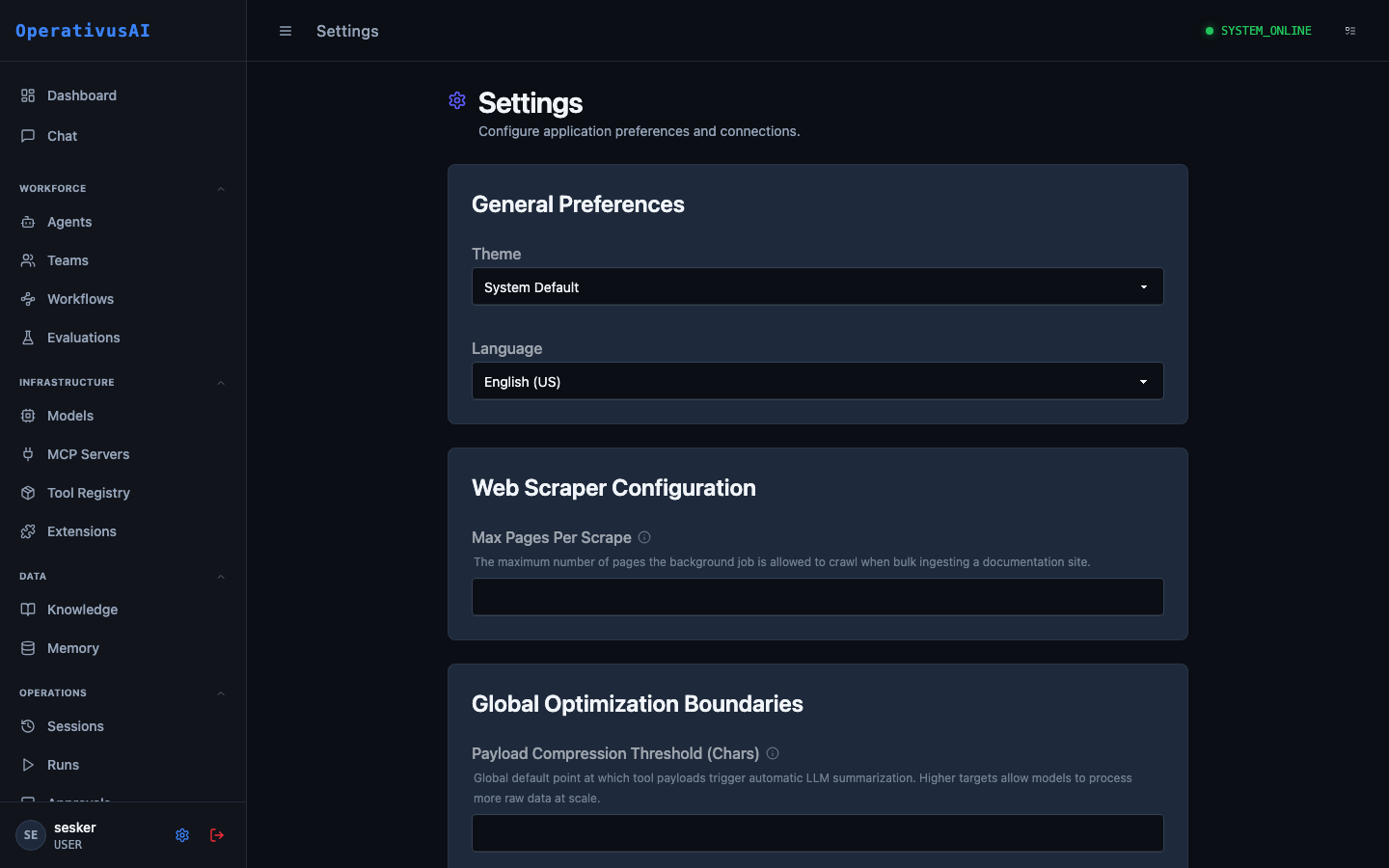
Settings — platform-wide configuration for preferences, integrations, and system behavior.
General Preferences
Controls the default user-experience settings applied platform-wide. Individual users can override some of these at the user-profile level.
| Setting | Type | Description |
|---|---|---|
| Theme | enum | Default UI color scheme. Options: System Default, Light, Dark (Obsidian). Applies to all users unless overridden in their profile. |
| Language | enum | Default display language for the Procurator UI. Currently supports English (US). |
| Date Format | enum | How dates are displayed across the platform: ISO 8601, US (MM/DD/YYYY), or EU (DD/MM/YYYY). |
| Timezone | string | Default timezone for schedule displays and audit timestamps. IANA format (e.g., America/New_York). |
Web Scraper Configuration
Controls the behavior of the background web scraping job used when ingesting URLs into Knowledge Bases.
| Setting | Type | Description |
|---|---|---|
| Max Pages Per Scrape | integer | Maximum number of pages the scraper will crawl from a single URL submission. Prevents runaway crawls on large sites. Default: 50. |
| Scrape Depth | integer | How many link-hops deep the crawler follows from the seed URL. Default: 2. |
| Request Timeout (ms) | integer | Per-page HTTP timeout in milliseconds. Pages that exceed this are skipped. Default: 10000. |
| Respect robots.txt | boolean | When enabled, the scraper honors robots.txt disallow rules. Recommended: on. Default: true. |
| User-Agent String | string | HTTP User-Agent header sent with scraper requests. Some sites block or rate-limit non-browser agents. |
Global Optimization Boundaries
Platform-wide guardrails that influence how the execution engine handles large tool payloads and context window management.
| Setting | Type | Description |
|---|---|---|
| Payload Compression Threshold (chars) | integer | Tool output payloads exceeding this character count are automatically summarized by an LLM before being injected into the agent's context. Prevents context overflow on large tool responses. Default: 4000. |
| Max Tool Retries | integer | How many times the execution engine retries a failing tool call before marking it as an error and continuing. Default: 2. |
| Session Turn Limit | integer | Global maximum turns per session before the platform forces session termination. Per-agent limits override this. Default: 100. |
| Streaming Chunk Size | integer | Bytes per streamed response chunk sent to the client. Smaller values give lower perceived latency; larger values reduce overhead. Default: 512. |
The Payload Compression Threshold has the largest impact on cost. A threshold that is too low causes unnecessary summarization LLM calls; too high risks context overflow errors. Monitor the procurator_tool_payload_compressions_total metric in Observability to find the right value for your workload.
Integrations
Third-party service connections that extend Procurator's capabilities or push data to external systems.
| Integration | Purpose | Config Required |
|---|---|---|
| SIEM / Audit Export | Forward audit events to Splunk, Datadog, Elastic, or a custom webhook | Endpoint URL, API key, event filter — configured in Security & Audit |
| SSO / SAML 2.0 | Delegate authentication to an enterprise identity provider (Okta, Azure AD, Google Workspace) | IdP metadata URL, SP entity ID, attribute mappings |
| Slack Notifications | Push approval gate notifications, budget alerts, and system events to Slack channels | Webhook URL, channel mapping per event type |
| PagerDuty | Escalate critical alerts (budget exceeded, agent failures, security anomalies) to on-call teams | Integration key, severity mapping |
| Webhook (generic) | POST any platform event to a custom HTTP endpoint for custom integrations | Endpoint URL, auth header, event types to subscribe |
Backend Connections
Infrastructure connection strings and credentials for the services Procurator depends on. These are typically set at install time and rarely change in production.
Changing a backend connection string takes effect immediately and will interrupt all in-flight agent sessions if the target service is unreachable at the new address. Always validate connectivity before saving, and prefer maintenance windows for database or vector store changes.
| Connection | Description |
|---|---|
| Primary Database | PostgreSQL connection string for the main operational database (sessions, agents, workflows, audit log). |
| Vector Store | pgvector-compatible connection string for Knowledge Base and Memory semantic search indexes. |
| Redis Cache | Redis connection for session state caching, rate limit counters, and pub/sub event routing. |
| Object Storage | S3-compatible endpoint and credentials for storing uploaded Knowledge Base documents. |
| SMTP | Mail server configuration for approval notification emails and alert digests. |
Permissions
- settings:read View current platform settings (Organization Admin only)
- settings:modify Save changes to any settings section (Organization Admin only)
- settings:integrations Configure third-party integrations including SSO, SIEM, Slack, and webhooks
- settings:connections View or modify backend database and infrastructure connection strings