Workflows
Construct and monitor long-running, multi-step agent sequences. Workflows give you deterministic control over multi-agent automation — define exactly which agents run, in which order, with conditional branches, parallel steps, human approval gates, webhooks, and loops. Every execution is tracked in real time via SSE streaming.
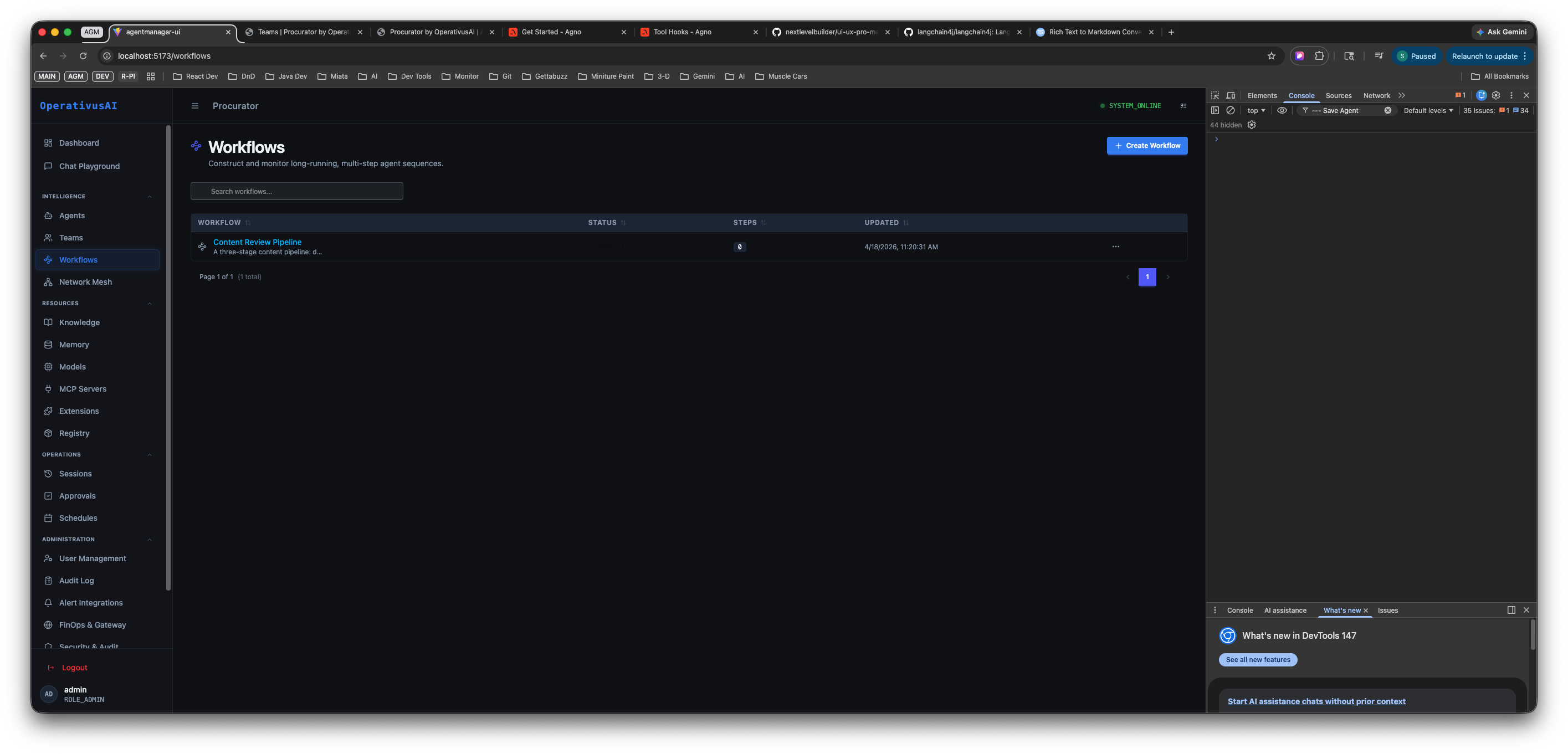
Workflows Registry — lists every workflow with live status, step count, and last-updated timestamp. Click any row to open the editor.
Step Types
Every step in a workflow has a type that controls how it executes. Mix and match step types to model any automation pattern:
| Step Type | What It Does | When to Use |
|---|---|---|
| Agent Step | Invokes a registered agent with a configured instruction. The agent's output is passed to the next step as context. | Any step that requires AI processing, analysis, generation, or transformation. |
| Condition | Evaluates a boolean expression against the execution context. Routes execution down a true branch or false branch. | Branching logic — e.g., "if sentiment is negative, escalate; otherwise, close the ticket." |
| Parallel | Fans out to multiple sub-steps that execute concurrently. All branches must complete before execution continues. | Independent tasks that can run simultaneously — e.g., scraping multiple data sources at once. |
| Webhook | Makes an outbound HTTP request, or pauses and waits for an inbound webhook callback before continuing. | Integrating with external APIs, triggering third-party systems, or waiting for an async event. |
| Loop | Repeats a sub-sequence until a termination condition is met — either a fixed iteration count or a dynamic expression. | Iterative refinement, polling, batch processing, or retry logic. |
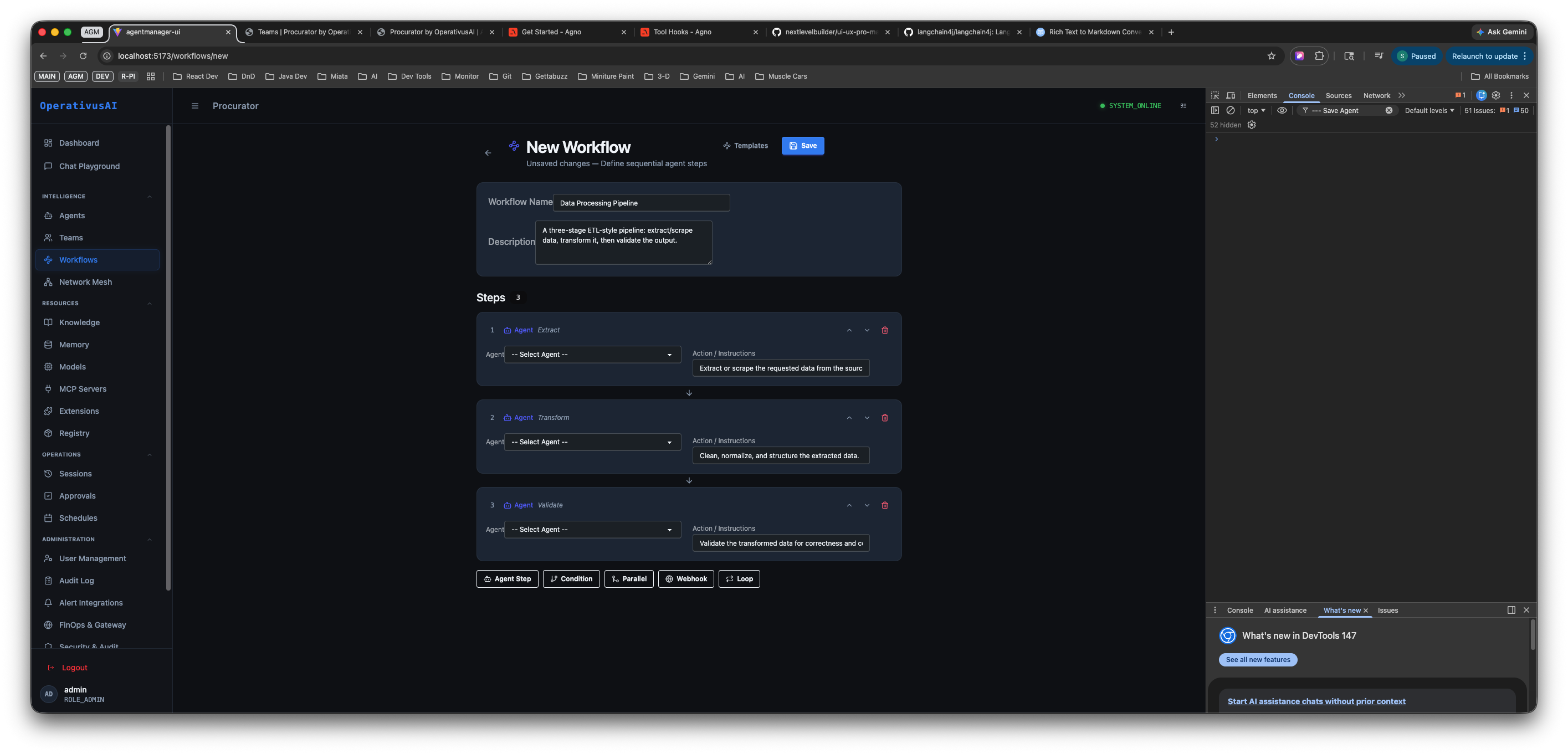
Workflow editor — define the workflow name and description at the top, then build your step sequence. The step type toolbar runs along the bottom.
Key Capabilities
11 Pre-Built Templates
Start from a curated library covering research pipelines, data ETL, compliance audits, customer triage, deployment gates, and more — or start from a blank canvas.
Conditional Branching
Insert Condition steps to route execution based on agent outputs, context values, or any boolean expression — creating true/false execution paths.
Parallel Execution
Fan out to concurrent sub-steps and rejoin — reduce total latency when steps are independent, such as scraping multiple sources simultaneously.
Human Approval Gates
Pause execution at any step pending human sign-off via the Approvals system. Blocks irreversible actions until an authorized reviewer acts.
Real-Time Execution Streaming
Every workflow execution streams step-by-step output via SSE. Watch each agent's response arrive live in the session viewer.
Full Execution History
Every run is recorded with step-by-step logs, timing data, agent outputs, and final status in the Sessions ledger for audit and replay.
Ready to build your first workflow?
Full template reference, step configuration guide, conditional expression syntax, API docs, and best practices are in the developer documentation.
Read the Docs →